Showing posts with label Facebook. Show all posts

Sunday, 8 September 2013

13 Hot Internet Marketing Trends in 2013

Internet marketing is now a critical piece of just about any company’s marketing mix. There are few marketing options with the speed, efficiency and reach as internet marketing. And so you should take the time to ensure you are focusing sufficiently on your internet marketing to maximize your revenue and growth.    
The year 2013 will prove to be another year in which the array of internet marketing vehicles, tools and techniques will continue to increase. To help you capitalize on the opportunities, here are 13 hot internet marketing trends for 2013 that you should consider when planning your marketing initiatives throughout the year:    

13 Hot Internet Marketing Trends in 2013 

1. Design Matters
Design matters, because design sells. Just look at the success of Apple, Pinterest, Desk.com or Nike. All four websites are stunning, and that’s no coincidence. Apple is the most valuable company of all time. It actually carries very few products, though. It’s the design that powers Apple’s value. Nike is a shoe and apparel company, yet pays just as much attention to the design of its website, videos and ads as much as to anything else. Focus on great design for all of your internet marketing in 2013.

2. Marketing Goes Visual
Similarly, communication through visual means is hot, and only getting hotter. Whether the explosion in infographics, or the dramatic rise in the popularity of Pinterest, or the redesigns of Facebook, LinkedIn and Twitter, we are going through a visual revolution. Start figuring out how to make more of your marketing visual in 2013.

3. Parallax Design
Parallax website design incorporates special scrolling techniques whereby background images on the screen move slower than foreground images, creating an illusion of depth on the screen. You can see examples at the following websites: Volkswagon Beetle and Activate (be sure to scroll down the page!). If you are planning a website redesign in 2013, consider incorporating elements of parallax design.

4. Mobile Mobile Mobile
Wordwide, there are over 5 billion mobile users and 1.1 billion smartphone subscribers specifically. The iPad was the fastest growing technology product EVER! Wow, if you need further convincing that you should start planning how to connect with your audience via mobile channels for your business, you’re nuts!

5. Video Video Video
More than 4 billion online videos are watched every day. Sixty-eight percent of video watchers share video links. So it’s clear your audience likes video. On top of this, consider that after 72 hours, a typical person can retain about 10% of text that they’ve read, 65% of an image they’ve seen, or 95% of a video they watched. Think that video might be helpful with communicating your message to your audience? Just a bit, huh?!?

6. Cloud-Based Tools
To be uber-efficient with your internet marketing efforts, you should be using cloud-based tools. For email marketing, you might be using MailChimp. For SEO, you might be using SEOmoz. For landing page testing, you might be using Unbounce. For heat map analysis, you might be using CrazyEgg. For website analysis, you might be using BoostSuite. Check out all the unbelievably useful options available to you.

7. The Multi-Screen World
With 86% of mobile internet users actually using their devices while watching TV, and with more than 10,901 Tweets PER SECOND being issued as TV viewers watched Adele win Record of the Year at The Grammy’s, it’s clear that we all live in a multi-screen world. Make sure that your internet marketing accounts for not just desktops, but ALL screens.

8. Social Media Gets Smarter
Facebook has more than 1 billion users, and Twitter has more than 500 million. Social media is an opportunity for your business, but it’s been difficult for many businesses to make sense of it all and to gain solid business value out of it. With a growing number of marketing platforms such as Wildfire by Google and ShortStack, and with more granular social media analytics as provided by tools such asSproutSocial, Followerwonk and PageLever, extracting clear meaning from your social marketing will get easier over time.

9. Retargeting Goes Mainstream
Retargeting is a means of placing your advertisements in front of your audience after they have left your website without converting. What many marketers fail to realize is that retargeting is one of the most effective internet marketing techniques available. If you are already investing in your site and your marketing campaigns for more site traffic, then it typically pays big dividends to remind the people who left your website without a conversion of your value in solving their needs. Your options for retargeting include Google Remarketing, AdRoll, Retargeter and also Bizo (for exceptional B2B retargeting). 

10. Email Remarketing
In lead generation campaigns or retailer email marketing, there are always going to be occurrences of form or cart abandonment. However, it’s a waste to just let the prospect go without reaching out and finding out if you might indeed offer exactly what they want or need. After the abandonment of a registration form or online shopping cart, through email remarketing you can send out an automated email to give your brand another chance at winning the heart and mind of the prospect. According to SeeWhy, 26% of those who abandoned an online shopping cart will return to complete the purchase in the case they receive a remarketing email. 

11. Search, Social & PR Collide
Organic search has been incorporating social signals for some time, and the integration of search and social has accelerated with the introduction of Google+ and the Google Knowledge Graph. With Google’s Panda and Penguin search algorithm updates, it’s become extremely clear that quality and value matter. That means high quality content, combined with sincere, transparent social marketing, combined with targeted PR is going to be a triad that’s hard to beat. 

12. Attribution Measurement
If you run multiple forms of internet marketing, such as paid search, SEO, email marketing, display advertising, and retargeting, then it can be difficult to assess the value of each piece of your marketing puzzle. If someone encounters your brand five times in a given week through the different marketing vehicles, who’s to say how much credit to give to each of the different pieces. That’s where attribution measurement services come in, whether Google, ClearSaleing or VisualIQ.

13. The Hispanic Market
Hispanics are the fastest-growing segment of the US population. And as they represent approximately 25% of new births, expect them to have an impact on your future business. Research points to Hispanics spending more time online than non-Hispanics and being more active online than non-Hispanics. If you have been ignoring the Hispanic market, perhaps 2013 is the time to start providing the market with the attention and customization that it deserves.

Tuesday, 23 July 2013

5 Steps to Make More Money Online

You could say building a successful personal brand online comes down to understanding one rule:

“It’s not about what you want to say; it’s about what you want people to know.”

It may sound simple but the difference between a successful and unsuccessful online personal brand for an entrepreneur can often be measured by not understanding the difference between a ‘statement’ and ‘proposition of value’.

Here are the top 5 steps to take to ensure the success of your personal brand:

1) Assess your position
Before you can begin to define your online brand and position yourself, it’s important to understand what works. For example, say that you would like to start a business by selling designed goods in online marketplaces. A reasonable move would be to look at successful sellers on sites from Fab to Etsy and identify how they do it: Look at the voice they use, the social media channels they operate on, even the colors and fonts they employ. Do the same with sellers that don’t resonate with you and the contrast between the two will more clearly reveal how you would like your message to be received and the methods to achieve it.

2) Create the foundation
Just as the services or goods you provide are unique and valuable, so too must be your personal brand. The most important process in personal branding is defining what makes you unique and why should anyone pay attention to what you have to say? More importantly, try to understand what it is about you that would be of value to both your target audience and your peers. If you can define who they are and what they are looking for, you can then begin to structure a truly authentic brand message. It’s not easy having a clear vision of yourself, so it might help to ask your friends, family and your fellow entrepreneurs how they perceive you and what are your strengths. Authenticity is central to personal brand success.

3) Extend your reach
Look at the social platforms you operate on and refine them in line with your message. If you don’t have a blog, maybe you should think of creating one. If you do, optimize its brand message. More importantly, identify areas important to your audience you aren’t active in and get involved. The key here is to be both consistent and individualized. Your message needs to be standardized across your digital footprint, but tailored to suit the unique environment of each social platform. What works for Facebook doesn’t work for Twitter. Don’t forget there are plenty of services out there to help you customize your personal brand content exactly as you want it. Don’t be afraid to play around and see what works, but always stay on message and maintain your authenticity. Just like you as a person, you’re building something greater than the sum of its parts.

4) Leverage your worth
So you’ve defined and built your personal brand, optimized the message and are now spreading it online. Now what?
The key to leveraging any brand is targeting not only the right audiences, but linking with the like minded. Get involved in the forums your audience participates in. Connect with trendsetters, thought leaders and of course your fellow entrepreneurs in your niche. Comment on blog posts that resonate with your personal brand, and always follow up with those who post on yours. Building connections and a community comes from being not only authentic and topical, but most importantly being seen as creating value, not noise.

5) Establish your leadership
For your online personal brand to be truly distinct and widely recognized, you need to lead. Build authority by bravely spreading your thought leadership wherever you can. Contribute guest articles on relevant blogs, lead discussions on forums and use your social media channels to invite opinions and debate. Remember, to be heard on the Internet you first need to be seen.
Of course, this process never really ends: Continually focus on how best to optimize your personal brand, keep making those connections and always ensure that what people hear about you is authentic and on message.

What are your thoughts on these steps to help you build your online brand? Have any tips that I may have missed? Add them to the comments below.

Sunday, 9 June 2013

11 Things You Need to Immediately Stop Doing on Facebook

Are you getting tired of Facebook or some of the behavior of your friends on the site? Facebook is the most popular social network with over 1 billion active users. And with great popularity comes some shameful characters looking to tap into Facebook’s viral market to sell you their crappy products or scheme your money through affiliate links or worse.
So if you happen to find yourself doing any of the 11 following things, you should look to stop doing so immediately before all of your friends look to jump ship!


1. Tagging Random People in Photos
2. Cross-Posting From Twitter
3. Liking Your Own Posts
4. New Page Invites
5. App Requests
6. Suggesting Friends
7. Adding People to Random Groups
8. Off-base and Mass Messages
9. The Ridiculous Event Invite
10. Overdone Like Buttons
11. Poking People

Please stop tagging people you barely know in photos that have nothing to do with them. It’s one thing when your buddy tags you in an unphotogenic pic, then sends it out to friends for some laughs, because, hey, at least it’s you. But the people I’m talking about upload photos and tag as many people as they can to try and gin up as many likes as possible. This is a classic move by spammers so be cautious of anyone who does this. I’ve had to call out several individuals over the years, even friends for their random tagging, and you should do the same in any suspect post. Sending a personal message to them to stop could work, too, but I feel like if some goofball wants to tag me in every one of his posts, he must be looking for my input so I give it to him publicly right then and there. Yes, revenge is a dish best served cold…
Look, I understand you’re a little short on content and things to say. We all basically post the same stuff on Twitter, Facebook, Google+, etc. but at least have the decency to not automatically send your Twitter tweets to Facebook. For one, you’ll get much less engagement posting to Facebook via any third-party app let alone Twitter which basically disregards Facebook etiquette. If you do this, it’s a clear sign you’re not really engaged on Facebook or maybe just too lazy to post yourself, either way a fail.


11 Things You Need to Immediately Stop Doing on Facebook image FACEBOOK FAIL by Chibi Yuri

So you’ve just posted the cutest cat or baby picture ever. That’s cool, I guess. But then you go ahead and like your photo too. Well, I know you already like the post, aren’t you the one who just shared the damn thing? Besides being annoyingly repetitive, the real reason people feel the need to do this is that the action of liking the post will again show up in the streaming news ticker, giving the post even more exposure (it’s potentially seen twice). These are typically the moves of self-proclaimed “social media gurus” or people who just feel insecure about their status posts.
Look, I understand you need to create a page for your business, but please stop inviting me to your half-ass Facebook pages. Instead post interesting content to your own page, share it on your profile as well (so your friends see it), and if people find it interesting they will follow. It’s almost not your fault, as creating a page and inviting all your friends can be tempting, but most of your friends won’t like your page and maybe they won’t like you anymore either. And the ones who do like it would’ve probably found it anyways without your begging them to do so. So don’t do this…


11 Things You Need to Immediately Stop Doing on Facebook image message
11 Things You Need to Immediately Stop Doing on Facebook image what you really sound like on Facebook

If you’re on Facebook all day playing Farmville, that should be embarrassing enough, and the last thing you should ever want to do is invite your friends and alert them to your nerdiness. And I can’t even explain to you the ill feeling I get when I receive a request to join Klout, for example, even though I’ve already registered, from one of my less intelligent friends.
Please stop suggesting I friend somebody else. You playing match-maker is a little creepy and I might start to question why you and I are friends instead. And it’s actually worse than creepy because, you see, on Facebook expert spammers pair up and start suggesting up to 50 random friends for each other. By doing this, the people they suggest will get the notification (in their friend requests) and may mistakenly think the spammers requested the friendship. In reality, the spammers want you to commit the first step by adding them as friends (essentially tricking you to friend request them). Facebook penalizes people for requesting too many friends, but spammers who pair up and suggest friends for each other escape notice since they are not actually doing the requesting.
This one’s a big pet peeve of mine. A classic text-book spam artist move, people will add you to random groups without your knowledge and all of a sudden you’re signed up for every single notification for each posts to the group. If this happens to you, make sure to leave the group or at least turn off the notifications within the group settings, as well as question the friendship with the culprit who added you. You don’t want to be the person known for doing this on Facebook, it’s a huge red flag.
Stop sending mass messages with dozens of people attached. You’ve seen these before, like “please like my page” or “vote for me in this ridiculous award I can’t win,” etc. People loathe being addressed in this style, and if you really have something to say at the very least personalize your message to each individual or, better yet, refrain altogether from sending out mass messages. After all, it’s straight out of the guide to spamming.


11 Things You Need to Immediately Stop Doing on Facebook image please vote
11 Things You Need to Immediately Stop Doing on Facebook image what really happens on Facebook


I’m honored you want me to come to your poetry reading in Siberia, but I’m not quite sure I’ll be able to make it. When you send mass requests to a bunch of people you don’t really know, it makes you seem inconsiderate and pretty much paints you as a spammer.
Somehow I’ve ventured over to your blog only to be greeted by an alarming pop-up Facebook “like” box baiting me to like your page. And then, when that goes away, I can barely even see your blog post because of the 100 “like” buttons strategically placed throughout your site.


11 Things You Need to Immediately Stop Doing on Facebook image too many like buttons

Always sort of a joke, it might be time to finally retire this Facebook feature. Something just feels off every time you poke me. No matter how you cut it, there isn’t a single situation in which poking someone is acceptable.


11 Things You Need to Immediately Stop Doing on Facebook image poke me again i dare you
If you are one of the millions of people committing these crimes on a daily basis, please refrain from doing so at once! You know who you are. I promise you whatever you’re trying to sell or market will have a much better chance if you come up with some honest hard-working tactics like creating or curating interesting and relevant content as opposed to relative social media douchebaggery.
11 Things You Need to Immediately Stop Doing on Facebook image get more likes
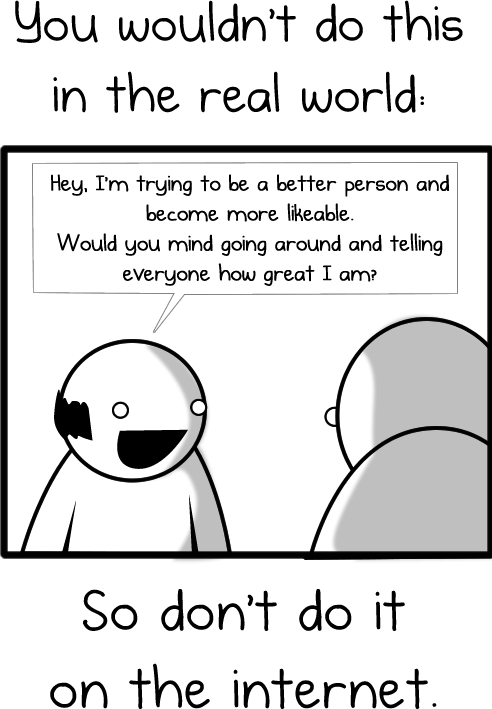
11 Things You Need to Immediately Stop Doing on Facebook image you wouldnt do this in the real world
11 Things You Need to Immediately Stop Doing on Facebook image create awesome things 685x1292

It’s that simple folks, avoid these 11 things and one day you can go from a spam-bot back to being my friend! Does anything else annoy you about Facebook?


Sunday, 3 March 2013

What Is Changing With Social Media In 2013?


Facebook has now reached 1 billion users and other Social Media sites are thriving. How can we use this as an advantage to creating customers?


1. With so many choices, how will we continue to use all of these media outlets? Facebook, Twitter, Google+, LinkedIn, YouTube, Instagram, Pinterest, Foursquare and Tumblr are the top 9 sites you need to be on right now with complete profiles and solid, interesting compelling content. You can post to many of these sites using aggregators like HooteSuite or SocialOomph.

2. Who will be around in 5 years, and who will fade! Top 5 listed above will be around, others may fade and new ones will arrive.

3. How to create engaging content? Quality fun photos, creative videos, well written blogs, articles and press releases.

4. What processes can we take to make the most out of our social media campaigns? Hire someone to manage this for you or if doing it yourself, plan on 15 to 20 hours per week. Create and control your online brand, build a massive targeted following and tie it into a search marketing campaign. Build a list and create a relationship to the list with email or video sales funnels.

5. What's the future hold for SEO? Search Engine Optimization is not going away but I feel it has lost some of its importance. Social Media Sites, Articles, Videos and Blogs are getting ranked on Page One of Google faster and staying longer.

6. How are the big players controlling the way we use social media? The big players, meaning Facebook, Twitter, YouTube, Google+ and LinkedIn? They are all doing their best to make the user experience better while including a way for businesses to reach new customers.

7. Community meets entertainment, what's the future hold for our online experience? Online experience will become more like television. More videos will be watched, added to websites, Social Media sites and blog platforms. More videos will be watch on smart phones and tablets. Vlogging is hot right now.

8. How being connected opens your influential reach? Love this question. Brand yourself as a leader by creating excellent content and building a massive following. You don't need to be a rockstar, athlete, actor/actress and politician to be famous anymore. Create your own industry/niche network.

9. What are some of the biggest misconceptions? That it's easy and a teenager can do it. Social Media and Internet Marketing MUST become part of your monthly marketing budget.

10. How to distinguish ourselves in Social Media, is it for friends, is it for business, what impressions do we create online? Brand yourself as a leader and expert in your industry. Then build a massive following and email list. If this is done correctly, you will attract your clients to you. Selling will be easy.

Wednesday, 20 February 2013

5 Key Ways to Engage your Facebook Business Page Fans


We've all heard that if you are in business, you need to have a Facebook Business page or Fan page.
Now that you've gone ahead and built your Facebook fan page, what's the next step?
If you build it they will come, or will they?
If you now do nothing with your Facebook page, it will do nothing for you. Congratulations, you have a cyber-slug!
If you don't have the time to spend keeping your page updated, or you don't have the cash in your business to pay someone else to keep your page updated, you are wasting your time. It's that simple.

We're a fickle crowd. If you are not keeping your page current and populated with new and interesting bits and pieces to read, you won't be top of mind with those that have liked your page.

Without posting on your wall, your fans are not seeing your page in their news feed. Your fans will have to remember to find and revisit your page. They won't.

When was the last time you actively visited a page on Facebook purely because you thought of it?
Or did you see a post or comment in your news feed from a friend that caught your eye and you clicked through to find out more.

My guess is option 2. Most of us operate that way. We see what others are doing or talking about and then go and have a look see.

With that in mind, how can you apply the browsing habits of most online users to your Facebook page strategy to ensure people continue to visit your page?

1. Post 2 to 3 times per week

Yes, per week. Be on your wall posting articles, comments, questions, videos, photos, etc at least 2 to 3 times per week to keep your page fans engaged.

If you are not talking to your page visitors, someone else will be.

2. Post at different times of the day / different days of the week

Unless you know exactly when your page fans are online, make an effort to post at different times of the day and also, post on different days of the week.

By posting at different times of the day, you can make sure you are appearing in the newsfeed of your fans at differing times. People are online at different times of the day. Some like to early morning browse. Some jump online after lunch. Others do a quick catch up on what's happening at dinner time or when they've finally put the kids to bed and have a few moments to themselves.

Likewise, some people are more active on weekdays. Others browse on the weekend when things have slowed down at work.

Know when your target market is online and post specifically to tap into their peak browsing times.

3. Repost your content

It's perfectly fine to write one single article and post the same article to your wall 2 or 3 times. Just make sure you spread out the time between the posting.

For example, you may post an article at the start of the month and repost it at the end of the month. Why? No one can possibly be on Facebook 24 hours a day. There will be fans that would love to read your content but were not online when you first posted it.

Reposting gives people the chance to catch it on the second time around.

4. Post Content from other Sources

Be seen as in information disseminator. As well as sharing your own information, source material that you know will appeal to your target market.

If you read an article that was helpful to you in business, chances are, it will also benefit others. So share it.

Your Facebook page visitors will appreciate the gesture and may even "on-share" it, citing you as the reference point where they found it.

This is where the ability to tag in Facebook can be really useful. An article you found and posted can easily be shared as a link by someone else, with a tag to your page as a thank you for sharing. Win-win!


5. Respond to Comments or Questions

If someone posts a question or a comment on your page, reply. Sounds simple, but I'm amazed how many people don't even bother to visit their own page to see what is happening on the wall.

Engaging with your visitors is an ideal way to establish rapport and build up a following of loyal fans who will love to hear from you.

If you do this, chances are next time they have a question in your field of expertise, they'll ask you. Their friends will also see that they've posted on your Facebook business page wall and some will click through to see why.

Why Did you Build a Facebook Business Page?

Your aim when building a Facebook business page should be to generate traffic to your page, as a source of potential leads, clients and customers.

Your challenge is to keep them interested when they get there. Keep them engaged. Keep them coming back.

That way they'll see you as the expert and seek your advice and opinion when they have an issue to solve or question to ask.

Friday, 15 February 2013

How to Get Traffic and Make Money with Facebook Page?


Are you looking to learn how to make money with Facebook page? As we know, establishing a Facebook fan page is an excellent way of connecting your brand with Facebook users, you still need to market it in the same way you'd market your blog or website to drive more traffic to it. The first step in publicizing your page is to update it often with fresh content to keep your existing fans returning and to attract new ones. Each time you publish a new wall post, photo album, or video, this update will be published to your fans' news feed, which is in turn shown in the news feed of their friends. This means that the more active you are on your page, the more your activity will be broadcast to your fans, which will prompt them to visit your page more often.

Also, being visible in their friends' news feed increases the chance that your fans' friends will also Like your page in order to become a fan, and potentially your customers. If they then have a positive interaction with your business, they're more likely to advocate your brand via word of mouth to others within their circle of influence – whether they do this on Facebook or on other platforms.
Besides updating your page often, there are Six Ways you can spread the word about your page to increase traffic and fan base so that you can make money with Facebook page:-

1). Link to it: Link to your page from other online channels you've already established, such as blog, website, Twitter account, or LinkedIn profile. You can also link to your page from personal media such as your e-mail signature or at the end of a PowerPoint presentation document that you feature on your blog or website.

2). Email people about it: Send an email to people you're already connected with, such as your Facebook friends, email contacts, and business partners, telling them about your page. In the email, mention how they can benefit from Liking your page to become a fan, but don't be too pushy.

3). Use Twitter: Whenever you create and upload new content to your page, write a Twitter update about it that contains a link to your page. Remember to adjust your settings so that your activity on twitter is automatically pulled through into your page.

4). Acknowledge new fans: When someone Likes your page, or when an existing fan posts on your wall, acknowledge him or her by posting a message on the fan's wall.

5). Use Facebook advertising: Consider buying Facebook advertising to promote your page by signing up at facebook.com/ads.

6). Leverage real-life events: If you're planning an event related to your business, use Facebook's events application to invite your fans to attend. When they RSVP, this action will be published in their news feed, which can be seen by their friends as well, thereby creating further exposure for your page.
At the same time, however, it's important to get the balance right between keeping your content fresh and not updating too frequently so that your fans become inundated with your brand name in their news feed. As a general rule, updating your page's content once a week should strike a good balance between the two. A final reminder – remember if you want to make money with Facebook page, you need to add new content that's interesting and/or adds value for your fans.

Sunday, 27 January 2013

Too Many Late Nights in Front of the Computer Screen?

There's lots of apps etc. online to make our lives that little bit easier. 
     I think it's too harsh to say we have no will power as everyone is different, but I know through bitter experience that late nights/early mornings on the laptop happen all to easy.      We all lead such busy lifestyles now that we need all we can to help us along the way & that's where this new desktop reminder comes in. 
    There are too many times where we find ourselves online far later into the evening than we meant too (cue cursing & getting into bed, looking ta the alarm clock & working out exactly how much sleep we have before work the next/same day)
  We don't mean to, I mean we go online with all the best intentions of "just having half an hour" it just never seems to work out that way. The internet has this way off sucking you in.


                                                      You can click here to find out more 


The simplest ideas are the best they say & My Personal Desktop Reminder I would say falls into that category. Simple but yet so so handy. 
    Its visible and audible. One of the six random alarm sounds at your chosen time interval AND a message box pops up on your screen as well,  so it doesn't matter if your volume is turned up or not. 
   The nice touch is that you choose the message that pops up, so you can explain to yourself again exactly why you have to get off the net !!
       It's quite a reassuring thought to know that you will never have another unplanned late night sitting in front of your computer screen.

Sunday, 6 January 2013

Best Facebook Photo Sizes: Cover, Profile, Wall Photos & More!


Want to know the best Facebook photo sizes? Here’s ALL the info you need to create and size your photos and graphics to look their best on Facebook.

Facebook Cover Photo Dimensions

Starting at the top, your Cover Photo will be displayed at 851 pixels (px) by 315px. You have the opportunity to adjust the cropping, but cannot resize the image that you upload or choose from your albums. To ensure you’ll like the results, size in an image editor before uploading.

Facebook Profile Picture Size


The Facebook Profile Picture is displayed on your Fan Page at 160px square, but must be uploaded at least 180px square. You can also upload a larger image, preferably in a multiple of 180, such as 360, 540, or 720, and Facebook will resize it for you. This may give you better clarity, and will definitely give you a larger image in your Photo Album!

Facebook Fan Page Tab Images (Thumbnails)

The Tab Images, or Thumbnails that appear under your Cover Photo, are 111px wide by 74px high. Keep them simple – maybe just type that expresses a call-to-action.

Facebook Fan Page Tab Favicon

A favicon for a web page is a tiny 16px square image that appears in your browser’s address bar. Well, FB Fan Page Tabs also have tiny 16px favicons too! When you click the drop-down arrow at the end of the row of Tab Images, you’ll see the app favicons below the Tab Images, to the left of the text name of the tab. These can be replaced with custom favicons at the time you create a custom tab by followingthese directions. Woobox tells me you can’t change them on a tab you already have installed.

Facebook Fan Page Tabs


Your Fan Page tab itself can be a single image. The width of the tab is 810px, and the maximum height for a full-tab image is 1200px. This is the only Facebook image that I’ve found to have a file size restriction, and it’s 400kb. Choose the appropriate compression when saving your jpeg, It won’t upload if larger than 400kb.

Facebook Wall Photo Size


Photos shared on your wall are displayed as a 403 pixel square image. For best photo quality, size and crop photos for wall posts at least 480 pixel square. 960px is optimal. These will be displayed at 403 pixels square on the Timeline with no cropping made by Facebook.
If you upload a horizontal photo at 403 pixels wide, it will be shown in its entirety. A wider horizontal photo will have the edges cropped off.
In my experience, photos less that 403px wide sometimes get sized up on your wall by Facebook and sometimes don’t! Vertical photos will be cropped top and bottom to a square shape, but the placement of the crop can be adjusted once it’s on the wall.

Facebook Photo Viewer Photo Size

Photos you’ve uploaded will appear in the Photo Viewer, or lightbox, at the size you uploaded them, up to 960px x 960px. Themaximum Facebook photo size for upload and download is 2048px square. If you upload a larger image, Facebook will reduce it so the longest side is 2048px, but it will appear in the Photo Viewer no larger than 960px on the longest side. It can be downloaded at the full size, however.

WARNING: Photos you upload to Facebook can be downloaded by anyone you’ve allowed to view them in your permissions. Any images could thus be reused, even though this is a copyright infringement (unless you have given permission). How to Report Claims of Intellectual Property Infringement

You’ve also allowed Facebook to distribute your images according to their Terms of Service:
For content that is covered by intellectual property rights, like photos and videos (IP content), you specifically give us the following permission, subject to your privacy and application settings: you grant us a non-exclusive, transferable, sub-licensable, royalty-free, worldwide license to use any IP content that you post on or in connection with Facebook (IP License). This IP License ends when you delete your IP content or your account unless your content has been shared with others, and they have not deleted it.
I recommend you NOT upload your professional images at high resolution unless you have a specific reason to do so (i.e. you want fans to download printable images of an event, for example) and also suggest you watermark your images.

Facebook Milestone or Highlighted Post Photo Size

Milestones and Highlighted Posts span both columns of your Timeline, and are displayed on your Wall at 843px wide by whatever height you choose, up to 403px. I like uploading a variety of heights – skinny ones like the one below break up space on the Wall, but become pretty small in the News Feed.
Milestone photos less than 843px wide will be centered in the space.

Link Thumbnail Size


Dimensions of the link thumbnail: 90px x 90px, but caries with shape of photo. This is the small icon that appears with a link on your wall. If you’re posting the link through Facebook, and the linked page includes photos, you can use the arrows to choose the desired thumbnail, or check the box for no thumbnail.

Wednesday, 12 December 2012

4 Unique Ways to Use Facebook for Your Business

Are you wondering how to best use Facebook for your business?
Should you open your personal profile with a Facebook Subscribe button? Would a Facebook Group work well for your business?
The simple truth is that Facebook Pages are not being seen as often in the news feed.
Facebook reported that on average, brands reach about 16% of their fans in a typical week through posts. This news has many people wondering if Pages are still a worthwhile endeavor.
Find out how to choose the best marketing strategy that fits your business by answering these simple questions.

#1: Have multiple employees?

If so, I still recommend having a Facebook Page despite the visibility issues. Let’s face it; every marketing channel has visibility issues. You will never reach 100% of your customers all of the time. Facebook Pages have advantages for your business that Groups and the Subscribe button don’t.
First, Facebook Pages are branded. You are using your company name and logo to increase your brand awareness, and your Facebook Page can showcase your brand personality as people read through your Timeline. Find out more about creative ways businesses are using Timelines.
You can also participate on Facebook as your brand by commenting on other Pages as your Page to increase visibility.
facebook branding
Use a Facebook Page for great branding and added apps.
Second, you can advertise a Facebook Page. Even with GM’s announcement that they will not be using Facebook Ads, they are still effective for other brands and companies. Test to make sure Facebook Ads are working for you and follow these tips on how to use Facebook Ads.
facebook ad
Advertise your Page to get the Like, but the text can also provide an offer.
Third, you can run contests and have special apps that give your Page some bells and whistles. Facebook Offers and check-in deals are also perks that many companies can use in their Facebook marketing strategy that are only available through Pages.
facebook offers
Use Offers to provide a unique way for people to get discounts and offers from you.

#2: Want to brand yourself?

If you are the face of your company or you want to brand your name, you may also want to consider opening up the Subscribe button on your personal profile. Some people will want to connect with you personally rather than on a Facebook Page with a logo. Find out more about the Subscribe button.
subscribe button
If you are the face of the company, people will want to connect to you personally.
You don’t have to worry about your privacy because you can easily control who sees your posts.
public posts
Use your public posts to talk about your business and things that you would like to publicly share.

#3: Are you self-employed?

If you’re a solopreneur or branding your business with your name, deciding your Facebook strategy could be a little more challenging. Because posts from personal profiles are showing up better in the news feed, people who have their Subscribe button open on their personal profile are seeing more new subscribers than fans.
So does that mean you should ditch the Page altogether? Not necessarily. Take a look at some of the advantages of having a Page listed in point #1. If you would like to run a contest or an ad, or have special apps or coupons, then you will need a Page.
There is also the consideration of promoting your business on your personal profile. Facebook terms state that you aren’t supposed to “use your personal profile for commercial gain” as shown under their Statement of Rights and Responsibilities, but this statement is not exactly crystal-clear.
To be on the safe side, if you are using your personal profile for business postings, I would talk more in terms of what you are doing in your business rather than telling people outright to purchase your products or services. A soft-sell approach usually works better anyway.

#4: Manage groups of people?

Groups are perfect for businesses that are “naturally” groups:
  • Networking groups
  • Groups of coaching clients
  • Social groups
  • School groups
  • Niche-focused groups
We have a great post on how to take advantage of Secret Groups for your business.
I don’t believe that Groups work well to promote an entire company or brand unless your business is only about bringing together a network of people in some way.
There are a few reasons Groups will irritate your potential clients if you use them as your main vehicle for marketing on Facebook. Here are the main irritants:
  • You may be adding people to the Group who don’t want to be added. Anyone can add other people to a Group once they are in it. And that can irritate people who don’t want to be part of that Group.
  • Many people don’t know how to turn off the notifications in a Group and they may get irritated and opt to stop getting all the updates. If you do run a Group, make sure people know where the settings can be changed.
group notifications
Make sure the Group members know that they can change their notifications.
If your business is about networking or bringing people together into natural groups, then Facebook Groups can be a great addition to your marketing mix. You can use Groups to communicate, schedule events, share documents and more.
facebook group events
Use the Events and Document-sharing features of the Group to enhance the experience.
A local group of business owners can be a great way to stay connected and promote your business news. You may want to set up promotional rules of the Group so that group members know how often and what to post.
local business networking
Be a leader and start your own local group of business networkers.
You can also use Groups as an added bonus for your coaching business. Give your clients an inner circle where they can connect and ask questions and network together.
coaching group
Use a Group to give an added bonus to answer ongoing questions if customers purchase a product.
Hopefully by answering these four questions, you can make the right choices on where you should be participating on Facebook to get the most out of your marketing strategy. And possibly these suggestions have sparked some new and fresh ideas to take your marketing to a new level!

Monday, 26 November 2012

Using Social Media to Increase Your Search Rank

The shifting rules of search mean that social media is more valuable than ever

The rules of search have changed. In fact, they change on a daily basis. But never so dramatic has rank been uprooted since the explosion of social media. Social media sites, especially the powerhouses of Facebook, Twitter, and LinkedIn, have become back-link central for affecting organic search results.

 Social media’s influence on driving business via the web is expected to surpass SEO in 2013, according to eMarketer. Web marketers and PR professionals must pay attention to how social media affects search, and ultimately how it can change the rules of online visibility and (online) brand engagement.

Changing the Game

Prior to Facebook’s takeover of the online universe (800 million active users today), online visibility in natural search was a sum of several, measurable components: SEO site compliance on site structure and meta tags/content, directory link submissions, and qualified and relevant site/blog linking. In 2010, the game officially changed, with Google’s support of social media—author reputation, bookmarking, and commenting, as well as a number of other social factors (likes, tweets, re-tweets, shares)—as a major factor in how it will rank websites and blogs in its algorithm. Real-time search in Google meant that search was only as valuable as the latest blog post, social share, and comment.

 Today, the line is blurring. And this causes some confusion for web marketers. Should they focus on optimizing and driving traffic to their social pages? To their web site? Where does their online brand live? How do they communicate their brand value proposition, whether their personal or corporate brand?

 The good news is that technology has advanced so that web marketers can manage their content and sites through the use of simple and effective blogging tools. Further, that those blog tool properties, such as WordPress, support integration of social plug-ins, and necessary content for social sharing, including video, effective product/service literature, and tagged imagery. And so, marketers can use social and manage their web presence to support online brand consistency.

How to Take Advantage of Social Media

So how can you use social media to increase your SEO rank and ensure that the rank and ensuing traffic will convert to business? First, you must create and understand a parallel social media optimization (SMO) / search engine optimization (SEO) strategy. All creators of content on your team (copy, social commenting, videos, and imagery) need to be on one brand team. The approach must be holistic. A unified brand message must drive visibility across all content, all channels.


To define a common strategy for execution across standard search engine optimization practices as well as across social media content development and sharing, marketers must re-think keyword development. The questions become less about search visibility vs. obvious competition and more introspective in terms of what the corporate and executive brand mean. Ask your team questions such as: What is our brand value proposition? What do we want our audience to say about us? How will we incent out audience? How will we be leaders? Why will people follow us? Answering these questions will help you to zone in on your top branded, broad and narrow-based keywords.

Once these target keyword phrases have been developed, you will require an actionable task plan to follow and with which to measure effectiveness of you new blended social/SEO strategy. Within needs to be: content types and frequency, planned outreach per social channel, and media (social) buys/ads with effective messaging and resulting goals. Determining success in social affects search visibility such that quality of the author, relevancy of the topical content, number of followers, number of comments/re-tweets, number of shares of blog posts must be considered and followed for search visibility to pull from success in these metrics.

When determining how you will rank in natural search for branded and business-driving keywords, first do the ABCs of SEO work in terms of on-site optimization wherever your online marketing plan calls for conversion. Once that has been completed, reign in your social and search teams to determine your custom strategy and measurable plan. Remember that, just like traditional SEO practices, SMO work must be consistent, authentic, managed daily and measured for success.

Sunday, 21 October 2012

5 Hidden Features of Facebook

It’s a little like Facebook’s version of the Easter egg extra you can find in a DVD of one of your favorite movies. Only instead of getting inside director’s jokes that you might not have known otherwise, these features are here to make the experience of having a profile on Facebook one you can customize deeper while still protecting the privacy of. And that’s saying a lot considering that not every Facebook user has yet to convert their home page to the timeline and tailor it to fit their professional and personal needs.
Maybe you already know about these options and maybe you don’t. But employing a “blink and you miss it” tactic can have you missing out on some great opportunities for your account.

1) Facebook Email
Under your contact info tab on your Facebook About page, you’ll find alongside any other email addresses you have featured one that features your public username followed by @facebook.com. Before you worry that there’s a special inbox to your Facebook email filled with messages that you haven’t been receiving, keep in mind that this address is for your Facebook messages inbox (that tiny conversation bubble sandwiched between the friend requests and notifications symbols at the top left hand corner of your page. Any messages you get to the username@facebook.com address will be added there with a little red number that will pop up as a reminder of how many you have.
You can also send messages to the @facebook.com address without using Facebook. Traditional email systems like Gmail can receive and send these messages. Responses sent out via username@facebook.com are formatted to look like they came directly from the social media site with your profile picture, name, and message all included.

2) Custom Username
We spoke about this one a lot in the first of the five hidden features. A Facebook username can be created by logging into your account settings tab and clicking on the bar marked “username” which customizes the web address for your profile, making it look a little something like (to borrow the name of the company I own) https://www.facebook.com/mycorp.
The trouble with the username is that you can only change it once. Until recently was the opportunity made available to switch it over a second time and it’s doubtful that third time will be the charm here. When creating a username for your account, it’s suggested to use a variation based off of your own name which makes it easier for friends to find you and to list your account on a professional networking website or on a resume. You can also use periods when creating said username.

3) Life Events
Yet another reason to make the switch over to the timeline if you haven’t already! On the Facebook timeline you have the option to write a status, post a photo, check in to a place, or create a life event. Life events are open to everything from the school you attended to the places you’ve travelled to and even with the relationships you have with other Facebook users. While you might not feel inclined to feature all of your life events that Facebook offers the ability to feature (first tattoo? new license?) you still have the option there to write about and share with close family members and friends.

4) App Settings
This one might not be a hidden gem on Facebook but it makes for an interesting timeline of its own to see just how many apps you’ve authorized to interact with your account. Under the account settings tab is where you can find and clean out the app settings if they no longer apply to being used with your profile. Kind of like viewing a blast from your Facebook past if you were really into the apps. Pieces of Flair or Bumper Sticker, anyone?

5) The Facebook Archives
Under the account settings tab, click on general settings. Underneath “language” you should be able to find a button marked “download a copy of your Facebook data.” Here’s where you can get a copy of your Facebook history downloaded featuring the posts you’ve made on your wall, the photos you’ve shared, the names and email addresses of your friends, and more.
There’s even an expanded archive download available that includes as Facebook puts it, “historic info like IP addresses we store about your logins to Facebook.”
Definitely far from a blink and you miss it moment.

Wednesday, 17 October 2012

Making Money Using Facebook - Internet Marketing

We Internet Marketers are always researching the most profitable ways to make money online and promoting our business to targeted people. Facebook is the most powerful social media system that we can use today, totally free, so why not use it in our advantage to promote our business?
So... How do we make money online using Facebook?
Interesting question, Facebook can be treated as a direct portal that will drive targeted visitors into your webpages, where you promote a product or where you just want to get more people signing up into your lists. Facebook CAN do that in a very powerful way... let me introduce you the Facebook PAGES!
What is a Facebook Page? It's just like your personal profile, but will be treated as a stand-alone "Profile" where you can promote your business. You won't have any "Friends" in a Facebook Page, instead you will have "LIKES", and those Likes will come from people visiting your Page and finding the content interesting for them.
What is the Power of this, you might be asking? When someone Likes your Page, he will start receiving on HIS wall all the comments and updates that you make into your PAGE. So with a single comment you can reach hundreds and hundreds of people.
Just imagine you have a Page with 100 Likes, 100 persons that are connected to your business, regularly checking your updates. When you post something new, this post will get posted on all those person's Walls. And what can happen next? EVERY friend of those persons might be watching his Wall, and they WILL notice your post as well!
Are you beginning to see the power of this? a single post can go VIRAL very easily!
But please notice that it is not that easy to achieve this task. As any real and well planned Internet Marketing strategy, you have to invest time and effort to build a good-looking Page with good content, that attracts people's attention. If you are serious in this business, you will find Facebook as a fantastic source to promote your business.
Now let's discuss how to get Likes...
First of all, you need to know right away that this process takes time, you won't get 1000 Likes from one day to another.
You can buy traffic you might think, let me tell you that I tested this myself and it didn't work. I bought 1000 Likes to my Fan Page and I found that all those people were unresponsive, but unresponsive at all.
So, my best advice to you is to just work on it by yourself, and be patient.
Let's review some quick TIPS about how you can promote your Fan Page to the Facebook community:
  1. Recommend your Fan Page to your friends, using your main Profile. And tell them to spread the word. This maybe is the fastest way to get some activity into your Fan Page, but it will only depend on how much friends you have and how cool they might be to help you out.
  2. Join related Fan Pages. Just search for them, find those that have daily activity, both from the owner of the page and from people posting comments on it. Like those Pages and post comments on them. But beware, please DO NOT make spam promotion because it is very annoying, just add some value into your posts, share with the community links, videos, some articles made by you maybe, and I assure you that people will notice your Fan Page when they see you contribute good things to them.
  3. Make Posts in your Fan Page regularly. Same as point 2, but with your Fan Page. Dedicate no more than half an hour a day doing this, just seek for some valuable content that people might see helpful, and share! If you have an active website with good content, you will already have LOTS of information to share in your Fan Page. Same applies with videos, articles that you might already have.

After you get some people Liking your Fan Page, you will start generating automatic traffic each time you post a comment on your Wall. Those people will have your post commented on their wall, and their friends will notice it as well. Viral Traffic for free!

Wednesday, 3 October 2012

New privacy fears as Facebook begins selling personal access to companies to boost ailing profits

Facebook is embroiled in a new privacy row after it began selling access to users in order to bolster its profits.
The social networking site is allowing companies to trawl through its 900m users looking for email addresses and phone numbers so it can better target adverts.
The changes mean that if you hand over any details when you buy something - as many consumers do - that company can now track you down on Facebook.

The measures appear to be a cynical attempt to sidestep restrictions imposed on Facebook by US regulators due to earlier botched privacy changes.
They have already sparked calls for an official investigation by campaigners who claim that the public have not been properly notified.

The new measures, which have been in effect for weeks, will affect consumers who have handed over personal data when they buy something, which is the majority of people given the rise of Internet shopping
Retailers will then be allowed to compare their own databases with the information on Facebook.

For example, an airline will now be able to target adverts at a consumer who had recently taken a flight to Barcelona.
A mobile phone company could also advertise upgrades to somebody who was nearing the end of their contract.
Another disturbing element is that the adverts could appear on a user’s computer even when they are not on Facebook.
The social networking site is also increasing its monitoring and will work with US-based company Datalogix to see what consumers are buying.
Facebook claimed that there are safeguards attached to the new measures.

Phone numbers and email addresses will be replaced by hash symbols so nobody actually knows who the person is, even if they can track their behaviour.
Users will also have to give permission but campaigners in the US have said that changing the settings is ‘confusing and ineffective’.
The Electronic Privacy Information Centre and the Centre for Digital Democracy have already asked watchdog the Federal Trade Commission to investigate the arrangement.
In a joint letter they said: ‘Facebook did not attempt to notify users of its decision to disclose user information
‘Neither Facebook’s Data Use Policy nor its Statement of Rights and Responsibilities adequately explains the specific types of information Facebook discloses, the manner in which the disclosure occurs, or the identities of the third parties receiving the information.’
Facebook is under pressure to improve on the £1.1bn it makes each year from advertising after its disastrous stock market floatation which saw its shares fall by more than half their value.
Last year it was forced to overhaul its privacy policy after the FTC ruled it had been lying to its users for the past four years.
The serious violations included allowing other companies access to users’ personal information - even after they deleted their accounts.
Under the tough agreement - which applies Britain - Facebook agreed to independent periodic monitoring for the next 20 years to stop it from re-offending.
It also vowed to obtain users ‘express consent’ before making privacy changes.
Facebook privacy engineer Joey Tyson said: ‘As we pursue our goal of making the world more open and connected, we have designed our service to show ads that help people discover products that are interesting to them.
‘We also recognise that our users trust us to protect the information they share on Facebook.
‘Maintaining that trust is a top priority as we continue to grow.’

Friday, 21 September 2012

Ten steps to increase your brand’s Facebook performance by 30%

Jason Stewart (MD of HaveYouHeard) and his team of Cath Mori, Tracy Dale and Britt Adami, in an effort to understand Facebook Timeline better, tracked just over 30 Facebook Pages, both local and international (including our own Pages which we manage) over the past few weeks since Timeline was introduced. We looked at other studies done by similar agencies internationally, with our ultimate objective being to identify the best practices to use.
It has been widely established that the success of a Facebook Page is not its size, but rather the amount of people engaging with it. This is indicated by the amount of people “Talking About This” (which is measured as a percentage within our study to be able to compare pages of different sizes more accurately).
The reason why we want a higher percentage of people “Talking About This” is to ensure that the brand’s content remains in peoples’ newsfeeds. That is why a high number of “likes” means much less because if only a very small percentage of fans are “Talking About This”, your message is falling on deaf ears. Therefore looking at what percentage of your Page is “Talking about this” is a critical factor in determining your Facebook Page’s success. Anyone can buy “likes”, but it takes smarter thinking to generate higher engagement.
Buzzfeed found that after tracking 200 Pages, the average engagement rate (Talking About This) was less than 0.02%. We focused on the top pages from both South Africa and abroad and those Pages fared much better. We found the average engagement rate was closer to 5% which should be seen as an acceptable benchmark – any lower and your Social Media team needs to start thinking harder about content and engagement.
This article is focused on what we have learnt from our own experience as well as from the best practices of others. Following the advice should bring your “Talking About This” rate above the 5% acceptability benchmark.
Here are our Top 10 Best Practices for Facebook Timeline:
  1. Images are in and copy is out as communication becomes more about visual storytelling. The use of pictures is incredibly important. Forget writing detailed status updates or posts, rather use pictures or specifically designed posts that translate the message visually. The implication for the brand is that more budget needs to be set aside for developing content in this way, but with higher impact you should be able to measure the ROI on your increased spend.
  1. Posting Content : An entire article, or even a book can be written about this topic. The shorter the post, the better. As Buddy Media found out – 80 words or less generates around a 30% better response rate than longer posts. We must not forget that online content has become more intensive than advertising itself as people are constantly bombarded with information, from emails to alerts to articles etc. The quicker they can read, understand and respond to a post, the more chance you have of them doing it.
  1. Questions work much better than statements in terms of creating engagement. Officially, questions generate around 15% higher engagement than statements. We measured it closer to 30%. However, it is not always as simple as asking a question – it is what you ask that is important. Don’t ask ‘Why’ as this requires too much thought and people will more often than not gloss over it. Rather use “When, Should, Where” etc, those that require less thinking and an easier, shorter response.
  1. The type of content a brand posts is critical. This is where creativity comes into play – finding or creating content that is shareable and ensuring it drives the brand message. What we need to know about posting content is that Facebook has something called the Edge Ranking, which is an algorithm that ‘measures’ all content and judges how high up and for how long a piece of content stays in someone’s newsfeed for. The algorithm looks at the affinity between the message creator and the message receiver (how often they interact), the weight of the content (video versus comment versus “like” for example – with the more robust the content, the higher the weighting) and then it looks at time; when it was posted, with the sooner being the better. It shows us that we need to ensure high engagement with all our fans, more robust content (videos and pictures are better than copy), and that we need to post more often than not.
As much as possible, include pictures, links, thumbnail images and videos into posts as they increase your content’s Edge Ranking (interestingly videos that show the actual time length in the post have a higher engagement rate as the user can immediately decide whether they will spend that amount of time watching it).
  1. When to post has become increasingly more important. Because of Facebook’s Ticker (the stories that appear on the right hand side of your page and “tick” continuously as new content is posted), posts now only have a lifespan of roughly 3 hours in a newsfeed. Therefore, posting once a day will not do, we need to post more regularly. This is one of the most neglected but influential ‘rule changers’ for Facebook, as your Page’s “Talking About This” amount will drop if you no longer post enough. What we have noticed is that most brands post between 9am and 5pm. However, a lot of activity goes on after and before business hours and on weekends. Did you know that 30% of women check Facebook during the middle of the night and again first thing as they wake up? Which brands are they engaging with then? We found that Pages that posted more often during the day did not lose fans due to ‘spamming’ them with content, but rather increased their engagement as different parts of their audience saw the different messages at different times of the day.
  1. One of the areas that most brands fall short on is in how they respond on the Page. There is no reason for more than a 24-hour delay. Our aim as an agency is for no longer than a day turnaround for a response, with our goal being to respond within an hour. It is also important to continue to engage with your fans in the comments as this pulls the thread back into newsfeeds.
  1. Pinning and highlighting posts makes it easy for you to pull attention to the most important content. Strategic thought needs to be given to which posts go where. This is prime real estate and your most important messaging and calls-to-action need go here.
  1. Apps are a little more user friendly and can make a Page look great, whilst also helping users with their experience of a brand. It is great for redirecting users to competitions, brand or campaign websites or customer care. But what is more important is that a user’s interaction is recorded by Facebook’s Social Graph – which means that this activity gets pulled into your newsfeed, improving your brand’s exposure. Apps allow more reasons for users to engage with you, spend time on your Page and to share content with others.
  1. The cover photo is the most important real estate on a Facebook Page. One eye-track study noted that users spent more time looking at the cover photo than they did at the wall posts. Good brands change their cover photo about once a week with most only changing it every 3 to 4 weeks. Much more attention needs to be given to this. Your cover photo sets the tone for your Page and just like people ‘judge a book by its cover’ so do users judge a Page by its cover photo. Pick ‘n Pay does a really great job in this regard.
  1. Milestones are a great way to provide an immersion into the history of a brand. Again, great visual content can be created for this. Creatives should get involved in building up the brand story as it offers the opportunity to educate and transform how a consumer understands your brand. Ensure that the content you post is engaging and visual.

With these 10 tips, we hope you are able to improve, possibly even drastically, your brand’s performance on Facebook

Tuesday, 18 September 2012

How To Develop a Successful Social Media Campaign

If you’re at the beginning of your social media journey, your first question should always be about success. Anyone can throw together a social media campaign, or a campaign that uses social media – but very few people can do it successfully. In order to create a social media campaign that works (i.e. that sells and promotes), you need to know where to begin. Courtesy of make1kadaywithimmacc.blogspot.com Here is the basic social media campaign formula:Establish Brand – Gather Community – Interact, Sell, Promote. It looks simple, but it isn’t. People have problems at each step of this basic 3 step process. If your brand identity is wrong, you won’t gain a community or sell stuff – for example. Here is the right process to use when establishing a successful social media campaign.

#1: Research Until You ScreamAll great marketing campaigns are based on effective research. Know your target demographic intimately, what they want, need and are dying to learn about. Research your ideal budget, and investigate how much setting up a campaign is going to cost you. Figure out your time investment. Outline the supporting campaigns that will help fuel your social media marketing campaign – like Google Adwords. Before you begin, learn where you stand, and what’s on the horizon.

#2: Preparing Your Master PlanWhat makes your business different? How can you attract your target demographic and keep them interested? What should your brand identity be, or your writing tone? Use the research you have to answer as many pertinent questions as possible. Your master plan needs to clearly define your goals. This means knowing what you want to achieve, and then outlining a realistic plan to achieve it. Remember – failing to plan, is planning to fail! The most direct route to success is preparation, planning and research.

#3: Creating and Maintaining Awesome Content. The key to a successful social media campaign is getting the research and planning right, and then following through with consistent content creation and interaction. People respond to good content – that’s what you want! But the most important thing of course is sustainability. You need to grow your community and get them to interact. Any way you look at it, the more juicy content the better.

#4: Learning, Adapting, MonitoringThe battle is not over when you have your social media pages up and running. You need to learn all the time from the results that you get with your campaign. Use monitoring tools to track your progress, and review your campaign at the end of every month. The best campaigns are always evolving. As you learn more through application, your social media campaign will get better – especially if you’re a stickler for data analysis. Focus on developing closer relationships with your current community and others will follow. Don’t pour your efforts into growing your community just because you want to ‘look’ like a popular business. Every business is different. Yours might be perfect for Facebook, so focus your efforts there. Start with the basics – Facebook, Twitter, LinkedIn, a blog and a Youtube channel. If you can only manage 1 properly, stick with that for awhile. In the end, when your community grows, they’ll be begging for more!