

Showing posts with label Social Networks. Show all posts
Showing posts with label Social Networks. Show all posts
Sunday, 24 November 2013
How to Make the Most of LinkedIn Groups
Are you a member of a LinkedIn group? Do you spend time networking in LinkedIn groups? LinkedIn groups are great way to build credibility and make new connections that can ultimately help grow your business.
You can join up to 50 LinkedIn groups. However, it’s difficult to gain traction in 50 groups as well as find the time to participate in that many. I recommend that you go ahead and join up to 50 groups, but select 5-10 groups to spend your time on in order to get the most benefit out of your participation.
With over 1.5 million LinkedIn Groups, it can be difficult to find relevant groups and determine which ones might be the best for you to join. It is also important to find groups that are well-managed. Unfortunately there are many LinkedIn groups that are not well-managed and that makes the experience within these groups less than optimal. Not to worry, I’m going to give you some insights on how to find the quality groups.
Below are 5 tips for maximizing your LinkedIn groups experience.
#1) Use LinkedIn Search to Find Relevant Groups to Join
In case you haven’t noticed, LinkedIn search has been significantly enhanced. This includes the ability to search for relevant groups (based on your network) and it also includes the ability to search for discussion topics within open groups!
To start with, search for groups using keywords that would be a natural fit for you based on your geographical location, industry, prospects, alumni, community/charity organizations, hobbies and interests. Try searching LinkedIn Groups with the keywords that actually describe your natural affinities. For example, type in the name of the college you attended to find potential alumni groups that exist on LinkedIn.
You can also take advantage of Boolean search operators for smarter searches on LinkedIn. (I recently discovered this Tip Sheet on Boolean Search from LinkedIn Corporate Solutions). To locate a LinkedIn Group that was in my geographical location and my industry, I searched LinkedIn Groups using the Boolean Search Operator “AND” for the keywords (social media AND Dallas). LinkedIn showed me 25 results of groups based in Dallas AND focused on social media!
Another interesting finding was when I typed the word “hiking” into LinkedIn Group search, I found a group with over 1000 members who share this passion. There is no better way to start relationships than connecting around a common passion or interest!
For each LinkedIn Group that is displayed in search results, you have the option to view members in your network who belong to the group as well as “similar groups”.
You can even reach out to your LinkedIn connections and ask them what they think about the groups that they belong to. This gives you a solid reason to reach out and connect with your network.
LinkedIn group search is extremely powerful for discovering the right groups to join.
#2) Review the “Groups You May Like” Suggestions from LinkedIn
The easiest way to navigate to the “Groups You May Like” feature is through your to navigation menu bar under “Groups”. There you will see these options. (The Groups Directory option is the primary search area for LinkedIn Groups)
When you click on the “Groups You May Like” feature, LinkedIn will list suggested groups for you to check out based on your network connections, profile information, skills and expertise, and existing group memberships. (You may also notice some groups (or subgroups) on this list that you already belong to.
#3) Evaluate the Quality of a LinkedIn Group
How do you know if the LinkedIn group you are interested in joining is going to be a well run, quality group?
In some cases, you may just have to join the group and spend some time there to make that determination. However, here are a few ways to evaluate the group for quality:
Is this LinkedIn Group a Quality Group?
-Who is the group manager, and are they engaged and visible?
-What are the group rules? (hint: if the group rules don’t exist or they are not well written, chances are the group is not well-managed)
-Do a good majority of the discussions involve questions and dialogue?
-Are there lots and lots of promotional links or an abundance of “self-promotion”?
-Are the top influencers in the group credible?
-Is the group manager among the top influencers?
In a well-managed group, you are going to most likely see a manager who is visible throughout the discussions and a strong set of rules.
The quantity of membership and the activity level of a group aren’t always correlated to whether or not the group a quality group. I’ve seen some very large groups that are very well-managed and some very small groups that aren’t managed at all!
Be sure to evaluate the stats of the LinkedIn group you are interested in as well. There you can learn more about member demographics, activity, how long the group has been around, and more.
#4) Consider Joining Corporate Sponsored Groups
There are a number of corporate sponsored groups popping up on LinkedIn. This is where LinkedIn has officially partnered with brands or corporations to help them build robust groups. Within each of these groups, the organization can drive member visits and discussion participation while also controlling the ad display space within the group site.
Examples of these corporate LinkedIn Groups include: Intuit (small business group), Citi (Professional women’s network), Staples (small business network), and Capital One (Business traveler network).
What I love about corporate sponsored groups on LinkedIn is that they are very well-managed. The discussions tend to be in-depth with rich dialogue amongst members. These brands/corporations have a vested interest in making their groups successful, and in every case there are dedicated group managers in place who facilitate the dialogue and keep the groups spam-free.
I have found as a member of several of the groups listed above that the discussion questions submitted weekly (and delivered via email) by these group managers are intriguing and enticing. They make you want to jump right in and give your own insights and opinions!
If you run your own LinkedIn group or you’re thinking about starting one, you could learn some terrific strategies as a member of these corporate sponsored groups.
#5) Adhere to LinkedIn Group Participation Best Practices
In order to make LinkedIn Groups serve as authentic forums for discussions and dialogue, we can all do our part to maintain the integrity of the groups we belong to. This will make the LinkedIn Group experience better for everyone.
Additionally LinkedIn is doing its part by helping group managers fight promotional posts. If you are thinking about posting a discussion that contains the words me, my, or I, don’t count on it showing up. Most likely it will end up under the “promotions” tab where it’s highly unlikely that anyone will see it.
In order to successfully build influence in LinkedIn groups, your best bet is to authentically engage in discussions and contribute value-added insights.
Below are some best practices to remember as you find the right groups to join and start engaging with members:
-don’t just drop into groups and promote your products or services
-don’t auto-post your blog articles into LinkedIn groups (Instead, provide links to reputable sources of information within the context of discussions that can help members. This can include your blog articles if they truly serve that purpose.)
-ask questions and provide thoughtful answers
-contribute to ongoing discussions and new discussions consistently
-share meaningful, helpful, interesting, and reputable content
-send invites to connect with mutual group members only after you’ve spent some time participating in the group (Ideally the best time to send the invitation is when you’ve interacted with members in a discussion!)
I hope that these tips will help you make the most of your LinkedIn groups experience. LinkedIn groups provide an amazing opportunity to position yourself as a thought leader and an influencer. If you lead by example with your participation, others will follow.
Are you spending time in LinkedIn groups? How do you find the right groups to join? What are your thoughts about the value of LinkedIn groups? Leave your comments below.

Sunday, 9 June 2013
11 Things You Need to Immediately Stop Doing on Facebook
Are you getting tired of Facebook or some of the behavior of your friends on the site? Facebook is the most popular social network with over 1 billion active users. And with great popularity comes some shameful characters looking to tap into Facebook’s viral market to sell you their crappy products or scheme your money through affiliate links or worse.
So if you happen to find yourself doing any of the 11 following things, you should look to stop doing so immediately before all of your friends look to jump ship!
2. Cross-Posting From Twitter
3. Liking Your Own Posts
4. New Page Invites
5. App Requests
6. Suggesting Friends
7. Adding People to Random Groups
8. Off-base and Mass Messages
9. The Ridiculous Event Invite
10. Overdone Like Buttons
11. Poking People
Please stop tagging people you barely know in photos that have nothing to do with them. It’s one thing when your buddy tags you in an unphotogenic pic, then sends it out to friends for some laughs, because, hey, at least it’s you. But the people I’m talking about upload photos and tag as many people as they can to try and gin up as many likes as possible. This is a classic move by spammers so be cautious of anyone who does this. I’ve had to call out several individuals over the years, even friends for their random tagging, and you should do the same in any suspect post. Sending a personal message to them to stop could work, too, but I feel like if some goofball wants to tag me in every one of his posts, he must be looking for my input so I give it to him publicly right then and there. Yes, revenge is a dish best served cold…
Look, I understand you’re a little short on content and things to say. We all basically post the same stuff on Twitter, Facebook, Google+, etc. but at least have the decency to not automatically send your Twitter tweets to Facebook. For one, you’ll get much less engagement posting to Facebook via any third-party app let alone Twitter which basically disregards Facebook etiquette. If you do this, it’s a clear sign you’re not really engaged on Facebook or maybe just too lazy to post yourself, either way a fail.

So you’ve just posted the cutest cat or baby picture ever. That’s cool, I guess. But then you go ahead and like your photo too. Well, I know you already like the post, aren’t you the one who just shared the damn thing? Besides being annoyingly repetitive, the real reason people feel the need to do this is that the action of liking the post will again show up in the streaming news ticker, giving the post even more exposure (it’s potentially seen twice). These are typically the moves of self-proclaimed “social media gurus” or people who just feel insecure about their status posts.
Look, I understand you need to create a page for your business, but please stop inviting me to your half-ass Facebook pages. Instead post interesting content to your own page, share it on your profile as well (so your friends see it), and if people find it interesting they will follow. It’s almost not your fault, as creating a page and inviting all your friends can be tempting, but most of your friends won’t like your page and maybe they won’t like you anymore either. And the ones who do like it would’ve probably found it anyways without your begging them to do so. So don’t do this…


If you’re on Facebook all day playing Farmville, that should be embarrassing enough, and the last thing you should ever want to do is invite your friends and alert them to your nerdiness. And I can’t even explain to you the ill feeling I get when I receive a request to join Klout, for example, even though I’ve already registered, from one of my less intelligent friends.
Please stop suggesting I friend somebody else. You playing match-maker is a little creepy and I might start to question why you and I are friends instead. And it’s actually worse than creepy because, you see, on Facebook expert spammers pair up and start suggesting up to 50 random friends for each other. By doing this, the people they suggest will get the notification (in their friend requests) and may mistakenly think the spammers requested the friendship. In reality, the spammers want you to commit the first step by adding them as friends (essentially tricking you to friend request them). Facebook penalizes people for requesting too many friends, but spammers who pair up and suggest friends for each other escape notice since they are not actually doing the requesting.
This one’s a big pet peeve of mine. A classic text-book spam artist move, people will add you to random groups without your knowledge and all of a sudden you’re signed up for every single notification for each posts to the group. If this happens to you, make sure to leave the group or at least turn off the notifications within the group settings, as well as question the friendship with the culprit who added you. You don’t want to be the person known for doing this on Facebook, it’s a huge red flag.
Stop sending mass messages with dozens of people attached. You’ve seen these before, like “please like my page” or “vote for me in this ridiculous award I can’t win,” etc. People loathe being addressed in this style, and if you really have something to say at the very least personalize your message to each individual or, better yet, refrain altogether from sending out mass messages. After all, it’s straight out of the guide to spamming.


I’m honored you want me to come to your poetry reading in Siberia, but I’m not quite sure I’ll be able to make it. When you send mass requests to a bunch of people you don’t really know, it makes you seem inconsiderate and pretty much paints you as a spammer.
Somehow I’ve ventured over to your blog only to be greeted by an alarming pop-up Facebook “like” box baiting me to like your page. And then, when that goes away, I can barely even see your blog post because of the 100 “like” buttons strategically placed throughout your site.

Always sort of a joke, it might be time to finally retire this Facebook feature. Something just feels off every time you poke me. No matter how you cut it, there isn’t a single situation in which poking someone is acceptable.

If you are one of the millions of people committing these crimes on a daily basis, please refrain from doing so at once! You know who you are. I promise you whatever you’re trying to sell or market will have a much better chance if you come up with some honest hard-working tactics like creating or curating interesting and relevant content as opposed to relative social media douchebaggery.

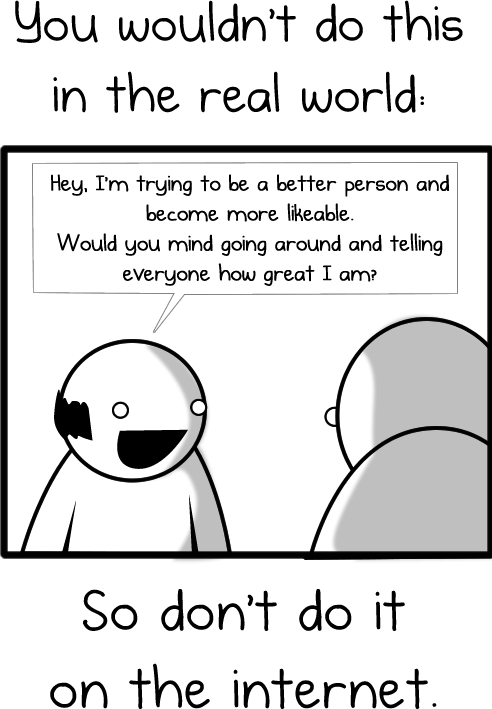

It’s that simple folks, avoid these 11 things and one day you can go from a spam-bot back to being my friend! Does anything else annoy you about Facebook?
Thursday, 25 April 2013
5 Tactics to Grow Your Email List
Back in January, many email
marketers said increasing their lists was their top goal for 2013. Well, spring
is here. Is your mailing list growing as fast as your flowers and lawn? If not,
it's time to execute a new plan.
Many marketers have email
addresses only for 30% or less of their customer and prospect lists. They're
tempted to revert to their direct-mail experience and reach for a quick fix
like email append ("e-append") and list rental/purchase.
But in today's engagement-based
inbox placement world, this "quick fix" approach can give you more
headaches than new sales.
If you seek quantity over
quality in list growth, you're practically inviting the ISPs either to block
your entire opt-in mailing list or route everything to your recipients' bulk
folders, where they'll languish in obscurity until the ISPs dump them
automatically.
So, what should be in your
email list growth plan? Below are five tried-and-true methods to ignite your
email list growth, in a safe, permission-based way.
1. Make It Easy to Opt In on
Your Website
Your customers and prospects
must be able to find your opt-in form easily on your home page. This advice has
been around for years, but today's web designers apparently didn't get the
memo. They position Facebook and Twitter icons prominently but send you on a
search-and-rescue mission to find the opt-in field.
Many websites undersell the
email value proposition, using just a link saying "Sign Up for Email"
relegated to the homepage footer. Worse, the email opt-in call-to-action isn't
even on the page. Make your forms stand out.
If you want to get more
opt-ins, make the email invite more visible. Use a benefit-based call-to-action,
and test an offer that you subsequently deliver in your welcome series.
2. Don't Stop at Just One
Add more opt-in forms
throughout your site and in various placements: above the fold (the horizontal
halfway point on your website, like the fold in a newspaper), below the fold,
in the right rail, in left-hand navigation and on a dynamic layer that displays
according to visitors' site activity.
Test these locations to see how
many more opt-ins you can drive, each one alone and in combination with each
other. One opt-in form on a page might drive X, while having two opt-in form
placements on a page might drive 1.5X to 2X.
At the EEC Summit in 2012,
Tommy Hilfiger reported that his company drives 2% of all site visitors to opt
in by using a dynamic opt-in layer served to new site visitors on site entry.
3. Collect Emails at Your
Stores
Ask your customers to opt in
for email at your checkout counter or when requesting an email receipt.
However, be sure you are collecting high-quality names.
You'll have to develop a
request procedure that helps you overcome two big pitfalls of point-of-sale
requests: phony addresses, either provided by reluctant customers who can't say
no to the request or keyed in by sales associates who have to meet email
quotas.
Mistakes, which happen when
sales people misspell a written address, misunderstand a customer's spoken
address or omit a crucial detail like the "@" symbol.
Here are a few suggestions for
collecting more and better addresses:
- Let customers type in their email addresses
on a POS touchpad or credit card terminal.
- Give them an offer or benefit for signing
up in-store.
- Explain what they'll be receiving.
- Get explicit permission before adding the
address.
4. Make It Mobile
Consumer adoption of mobile
sites and apps makes mobile another important collection point for opt-in for
both email and SMS text. The best mobile site home pages have two opt-in forms:
one for email, one for SMS. Remember the constraints that mobile puts on
viewing and data input.
Don't ask users to fill out
lots of form fields. Keep the form short and simple. You can collect more
information later in your welcome series using progressive profiling.
5. Remember Your Social
Networks
Give your Facebook followers a
simple opt-in form page. Call out the benefits and differences between your
social experience and your email communications.
Consider using social login,
also known as social sign-in. This uses existing login information from social
networks such as Facebook or Twitter to sign in to a website without having to
create a separate login account specifically for your website.
You can also use this process to
allow your site registrants to quickly and easily sign up to receive your
marketing emails.
Subscribe to:
Posts (Atom)